OEE software
OEE worked out live, from the signals your machines already have
A run signal and a part count are enough. Kealink turns them into availability, performance and quality for every shift, on every machine, without anyone filling in a spreadsheet.
How the numbers are worked out
- Availability: the time a machine ran, out of the time it was meant to run. Closed hours and planned stops are not counted against it.
- Performance: what it made, against what it could have made at its ideal cycle time, or at the rated rate of the product it was running.
- Quality: good parts out of all parts, from a scrap count on the machine or scrap recorded by the operator.
Every figure says which shift it covers and whether that shift is still going, so a number at 10am is never mistaken for the whole day.
Shifts as you run them
Shifts are set to the minute, 06:00 to 14:30 if that is your day shift, with the days they run. OEE, downtime and production are worked out per shift, and closed hours never count as downtime.
Products and rates
Give each product its name and rated rate per hour, and Kealink measures performance against the product that was actually running. Paste the product list straight from a spreadsheet. A count can be turned into kilograms, bags or tonnes by the weight of the product running at the time.
A day view for any date
Pick a machine and a date and see the shift as a timeline: every run and every stop, the product made in each run and its rate, with downtime, availability, uptime, amount produced and performance at the top. Go back a day at a time, or download the lot as a spreadsheet.
Targets and the whole floor
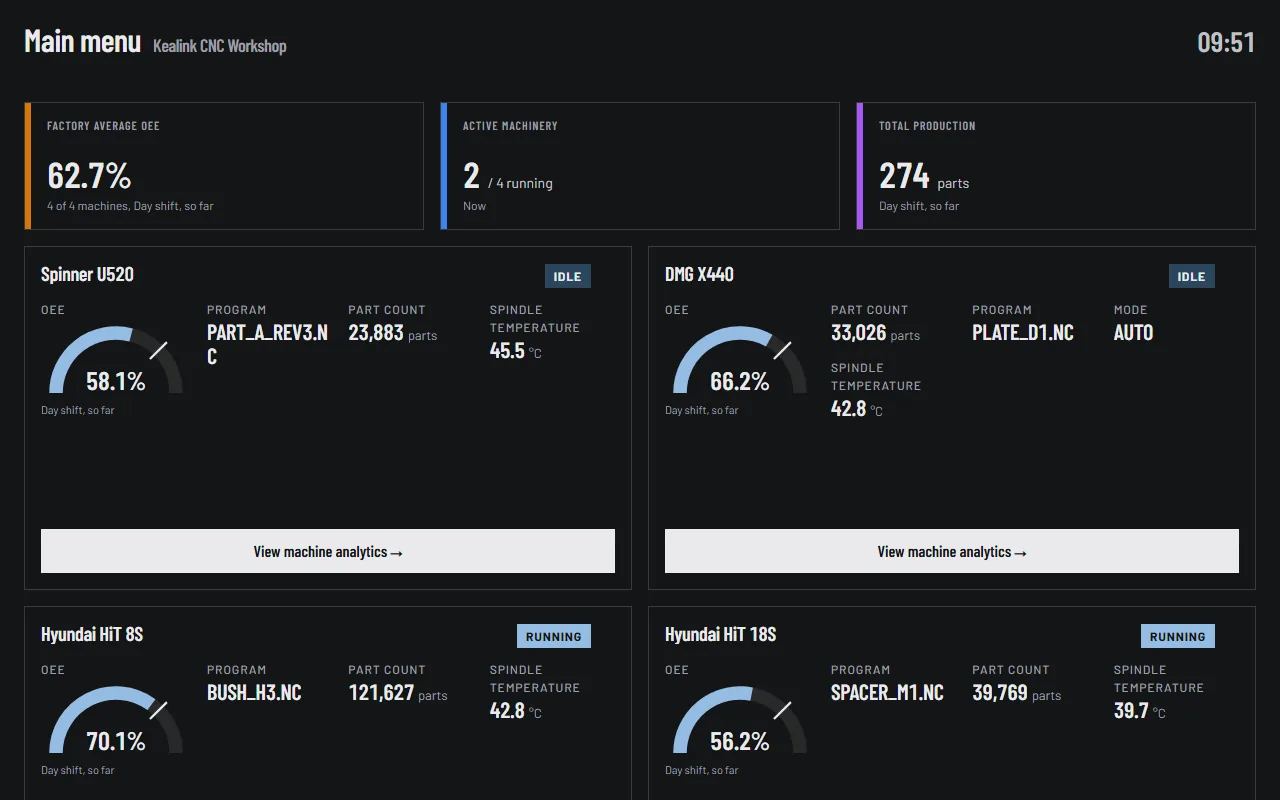
Set an OEE target per machine and see the result against it. A factory screen shows average OEE across every machine, how many are running and total production for the shift, which is the screen most plants put on the wall.
See it live
Two demo sites with simulated machines, running right now. No sign in, nothing to install.
- CNC workshopFour CNC machines on one screen: OEE for the shift, which machines are running, parts made, and the alerts.Open the demo →
- Bagging lineA production line making bagged products: the product running now, material flows, bags per hour and stops.Open the demo →
The readings are simulated, but everything you see is the real Kealink portal, updating as the machines run.